Workspace Auto-Configuration Using Enriched Company Context
Fetching reliable company data at runtime beats relying on stale language model knowledge.

Why fetching the page is harder than parsing it
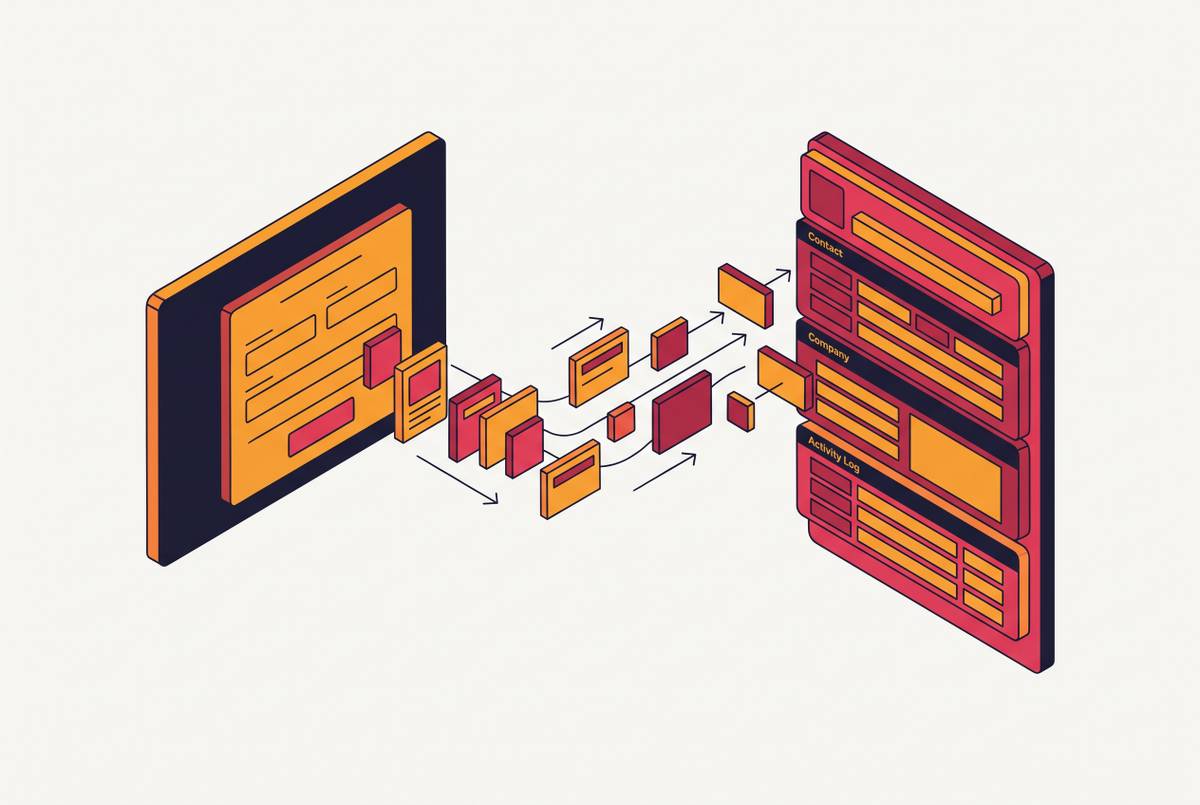
Workspace auto-configuration looks like a form-filling problem: paste a URL, watch the fields fill in. It's actually a grounding problem. An AI system can only get company details right if it has a live, structured way to pull that information from the web at the exact moment someone signs up. Not from whatever the model memorized during training.
That distinction matters more than it sounds like it should. A language model answers from patterns it learned during training, frozen at some cutoff date that's already months or years stale by the time anyone uses it. Asked about a company's current tagline, its live pricing tiers, or the exact shade of blue in its logo, it has no real source for any of that. So it guesses, and it guesses with total confidence. It'll invent brand colors that don't exist, describe a product the company killed two quarters ago, or quote a pricing plan that changed last spring. None of that is a bug. It's what happens when you ask a frozen memory to describe something that moves.
The fix is a pipeline: fetch the company's actual web presence at runtime, structure what comes back, and feed that into the configuration step instead of hoping the model already knows. Fetch the company's actual web presence at runtime, structure what comes back, and feed that into the configuration step instead of hoping the model already knows. Everything below is a layer of that pipeline, starting with the step most teams underestimate badly: getting the page.
Before any of that, it helps to know what's actually getting pulled. Auto-configuration usually needs three kinds of company context, and each one moves on its own clock.
Firmographics cover industry, headcount, founding year, headquarters, funding stage. This layer lets a workspace pick sensible defaults: which templates to show, which workflows make sense, who gets which permissions out of the gate. Messaging covers the tagline, the positioning statement, product descriptions, tone-of-voice cues, and this is what makes AI-written copy sound like the company instead of sounding like every other AI-written copy on the internet. Tech stack covers documented integrations, APIs, and frameworks pulled from docs pages or job listings, and this layer is what lets a workspace suggest the right connectors instead of dumping every integration on a new user at once.
None of these fields sit still, and they don't move at the same speed. Brand colors barely shift year to year. Pricing and messaging change often, sometimes every quarter. Tech stack, inferred from job postings, moves with hiring cycles. Brand colors barely shift year to year, pricing and messaging change often, sometimes every quarter, and tech stack, inferred from job postings, moves with hiring cycles. It's the thing that decides how the whole fetch-and-refresh system gets built (more on that later). And whatever comes out of extraction needs to land as named fields, not paragraphs. A configuration engine can't act on prose. It needs primary_color, tagline, industry: values it can drop straight into a workspace without a second pass of parsing.
Finding the right field on a page isn't the hard part. The hard part happens earlier: getting the rendered page past whatever anti-bot system the site has running.
Scrapfly's 2026 production guide notes that in practice, anti-bot handling and cost at scale are the problems that dominate real production deployments, not extraction accuracy or model choice. The fetch layer breaks before the parsing layer ever gets a chance to prove itself.
One browser automation framework, built by Microsoft, has become the standard tool for handling pages heavy with dynamic scripts in scraping work. It was built for end-to-end software testing, but it ships with full JS execution, network interception, and device emulation, which is what's needed to render a modern company site the way a real browser would.
That reality splits the pipeline into two distinct stages, and treating them as one is where a lot of teams go wrong.
- Stage 1, fetch: a headless browser or a managed fetching service that handles JS rendering, rotates proxies, and gets past bot defenses reliably.
- Stage 2, extraction: a model reads the rendered content and returns structured fields.
Teams tend to build Stage 2 first, because it's the more interesting engineering problem, and only later find out Stage 1 is where everything actually breaks in production. Scrapfly's 2026 guide puts it bluntly: the tool that fetches the page and hands back consistent, LLM-ready data wins, and parsing accuracy comes second. A perfect extraction schema is worthless against a blank page.
Building that fetch layer in-house, proxy rotation, browser lifecycle management, patching around whatever anti-bot vendor changed its detection last week, is infrastructure work with nothing to do with the actual product. It eats engineering time without moving the workspace experience forward an inch. Most teams are better off buying this piece instead of building it.
From raw HTML to LLM-ready Markdown: the token efficiency problem
Once a page is fetched, raw HTML shouldn't be what hits the model. The right target is clean Markdown: structured, readable, and far lighter on tokens than the tag soup a browser actually renders.
Converting raw content into clean Markdown can cut token usage by up to 70%. Just stripping boilerplate, nav bars, cookie banners, footer link farms, cuts input tokens by 30 to 50% compared to feeding a model raw HTML. That's not a rounding error. At auto-configuration time, a pipeline might pull five to ten pages per workspace: homepage, about page, pricing, docs, careers. Token costs stack up fast if none of that content gets cleaned first.
There's a related choice between Markdown and JSON as the working format, and it isn't either-or. One community benchmark found Markdown roughly 16% more token-efficient than JSON for the same content. Markdown wins when the task is retrieval or summarization: reading a page and getting the gist. JSON wins once downstream logic needs to grab a specific named value. Auto-configuration needs both: Markdown for the initial content pass, JSON for the structured fields that actually get written into the workspace.
The cleaning step is where garbage in, garbage out either gets caught, or slides straight down the pipeline into extraction, where it's much harder to fix.
Schema-driven extraction: defining the fields you need before calling the API
There are two ways to ask a model to pull structured data off a page. One is prompt-based: describe in plain language what to look for. The other is schema-based: hand the model a JSON schema with named fields and types before it ever sees the page. For auto-configuration, schema-based wins, and it isn't close.
With a schema defined up front, the model looks for fields by meaning, not by position on the page. That matters because company websites redesign constantly. A scraper built on fixed page-position selectors breaks the moment a company changes its homepage layout. A schema-based extractor looks for something that means founding year based on meaning, not by position on the page. It just looks for something that means founding year.
Prompt-based extraction, by contrast, produces output that shifts shape from run to run: sometimes a paragraph, sometimes a bullet list, sometimes a field that's just missing. Defining a JSON schema before calling the API is one of the most reliable ways to get consistent, usable output back. Teams that skip this step and rely on prompt wording alone end up patching extraction bugs for months.
JSON-LD is the structured data format most major AI search engines already rely on to pull facts out of pages. Proper schema markup raises a page's odds of showing up in AI-generated answers by roughly 2.5x. The same structuring that makes a page legible to AI search also makes it easier to pull from programmatically. Well-marked-up pages are, in effect, doing half the extraction work already.
Agentic orchestration: how an AI agent coordinates the configuration sequence
Auto-configuration is a sequence, not one API call, and treating it as a single request is where a lot of naive builds fall apart. The actual flow: take a company URL, fetch the homepage, crawl a handful of linked pages (about, pricing, docs), extract fields against a schema, check the output for confidence, populate the workspace, and flag anything that needs a human to look at.
The ReAct pattern, short for Thought, Action, Observation, is close to the minimum architecture that can handle this reliably. The agent looks at the task, picks a tool (fetch this page, extract this field, crawl that link), sees what comes back, and decides what to do next. That loop is what lets it recover: if a page is blocked, try an alternate URL. If a field comes back empty, go crawl a different source page instead of just failing.
Layered on top of that is a simple two-part structure. An agent layer does the actual work, fetching, extracting, validating, one task at a time. An orchestration layer sits above it, sequencing the steps, managing retries, and tracking which pages have already been processed so nothing gets fetched twice.
If an agent needs to log in to reach gated content and then loses that session between steps, it starts looking like a bot to whatever anti-bot system is watching, and that triggers the exact failure the fetch layer was supposed to prevent. Session state has to persist across tool calls, not reset with every request.
There's a specific job for a human in this loop, and it isn't babysitting the whole run. The agent handles extraction on its own and escalates only when confidence drops below some threshold: brand colors it can't find anywhere on the page, or two source pages giving conflicting descriptions of what the company actually does. That's the system working as designed, routing the ambiguous slice of cases to a person instead of guessing.
Browser Use, an open-source project released under the MIT license, is one credible option for teams that want to self-host an LLM-driven browser agent rather than build one from scratch. As of mid-2026 it runs around 98,000 stars on its repository with an active release schedule. Even so, it still needs a solid fetch layer underneath it. An agent framework gives a smarter way to decide what to do once the page is in hand, but the fetch layer still has to handle getting blocked by anti-bot defenses. It just gives a smarter way to decide what to do once the page is in hand.
What changed by 2026 is that orchestration patterns like this one became something engineers can build against directly: known patterns, measurable benchmarks, a clearer sense of where things break. Auto-configuration agents are systems engineering now, not a research bet.
Brand intelligence as structured data: what can be extracted programmatically from a company's web presence
Most teams still handle brand data by hand, and it's a waste of everyone's time. Someone uploads the logo manually. Someone types hex codes in from a PDF style guide. Tone of voice gets left as an open text box nobody fills in. Most of that information is already sitting in the page's own markup, waiting to be read.
Pulled straight from a company's public site, without anyone typing anything in:
- Logo URL and file format, from the page head, Open Graph tags, or the favicon
- Primary and secondary brand colors, from CSS variables, inline styles, or meta tags
- Typography, from font-family declarations in the CSS or Google Fonts references
- Tagline and positioning statement, from the homepage hero text or the meta description
- Social profile links and press or brand-asset pages, from the footer or structured data
Open Graph and JSON-LD markup make all of this more reliable, because well-built pages expose these fields in a machine-readable form rather than burying them purely in visual rendering a scraper has to guess at from scratch.
The gap in most scraping tooling is that it was built for commodity data: product listings, prices, reviews. Brand identity isn't a transactional field, it's a visual identity field, and pulling it well takes a schema built for logos, color values, and tone, not one repurposed from an e-commerce crawler. Bolt a brand-extraction task onto a product-scraping schema, and it comes back with half the fields empty.
The payoff is straightforward. A workspace that pulls its own color palette, logo, and tone of voice from a single URL, with no manual setup, cuts onboarding friction and hands a new user a first-run experience that already looks and sounds like the company they work for, instead of a gray, default shell waiting to be personalized.
A complete auto-configuration pipeline end to end
When every layer comes together, the sequence looks like this. A company URL comes in at signup. The system crawls the root domain and a set of linked pages: homepage, about, pricing, docs, careers. Each page gets fetched through a reliable browser-based layer that handles JS rendering and gets past anti-bot defenses. Raw HTML gets cleaned into Markdown to cut token overhead before anything touches a model.
From there, schema-based extraction pulls the named fields: firmographics, messaging, tech stack signals, brand elements. An orchestration layer sequences all of it, retries failed fetches, and tracks which pages are done. Confidence scoring flags anything shaky, a missing brand color, two conflicting product descriptions, and routes those cases to a human instead of letting the workspace populate itself with a guess.
Freshness isn't uniform across the pipeline, either. Fast-moving fields like pricing get checked often. Stable fields like founding year barely need a second look once they're set. Taken seriously, that volatility mapping is what keeps a workspace's data from going stale in some spots while burning fetch budget re-checking things that never change in others.
The workspace that comes out the other end is populated with the company's real colors, its actual tagline, its current tech stack, all pulled from the live web at the moment someone signed up. Not from whatever a model happened to remember from a training run months back. That's the whole case for treating auto-configuration as a grounding problem instead of a form-filling shortcut. The data has to be current, structured, and sourced from the company itself, or the workspace is just guessing with better formatting.